In 2025, the idea of cloning yourself on video is no longer sci-fi. AI twin technology allows creators, marketers, and individuals to produce consistent, on-brand video content—without being on camera every time. But how do you do this without ever writing a single prompt? In this guide, we’ll walk you through exactly how to create a polished, 1-minute AI twin video using Centralix.ca (or a platform like it), plus pro tips, caveats, and future trends.
What Is an “AI Twin” & Why It Matters
An AI Twin (also called a digital clone, avatar twin, or AI persona) is a synthetic version of you—in appearance, voice, mannerisms—that can deliver content on your behalf. Instead of filming yourself each time, you “say it once” and let the AI twin speak repeatedly.
Use Cases & Benefits:
-
Batch content creation for social media, training, marketing, or internal comms
-
Maintain visual and vocal consistency across videos
-
Save time and reduce camera anxiety
-
Automate video replies or personalized greetings
-
Scale video output without scaling production resources
Key features often include voice cloning, lip syncing, style templates, auto script generation, and multi-language support.
Introducing Centralix.ca: What It Claims & How It Works
Centralix is an all in one platform whose main aim is to facilitate access to generative AI for non technical people. For example in this article we are treating how to create an Ai double, a tasks that needs detailled prompting skills on other platforms but for which you can easily get done on Centralix just with your speech and a clear reference image.
Key Claims of Centralix.ca:
-
Produce a full 1-minute video of your AI twin without writing a prompt
-
Seamless identity, lip syncing, voice cloning
-
Template-based styles, auto-script generation
-
Export ready to social media (MP4, vertical/horizontal, captions)
-
Cloud rendering and privacy controls
-
Iterative improvement across sessions
What sets it apart is the zero prompt approach: you don’t type what your twin should say; instead, Centralix “fills in” the content using AI contexts, presets, or past voice data.
Preliminaries Before You Begin
Before you fire up the system, do a little prep:
-
Define your video’s purpose (promo, message, brand intro)
-
Plan reference content — a short, natural video or audio sample helps
-
Rights & consent — ensure you legally own the image/audio you upload
-
Lighting & background — shoot your sample in clean, even light
-
Brand assets — logos, fonts, color palette you want applied
With those in order, you’ll get better, more consistent AI twin results.
Step-by-Step: Create a 1-Minute AI Twin Video Without Writing a Prompt
Step 1 — Sign Up and Authenticate
-
Visit Centralix.ca and create your account (email, OAuth, or Google login)
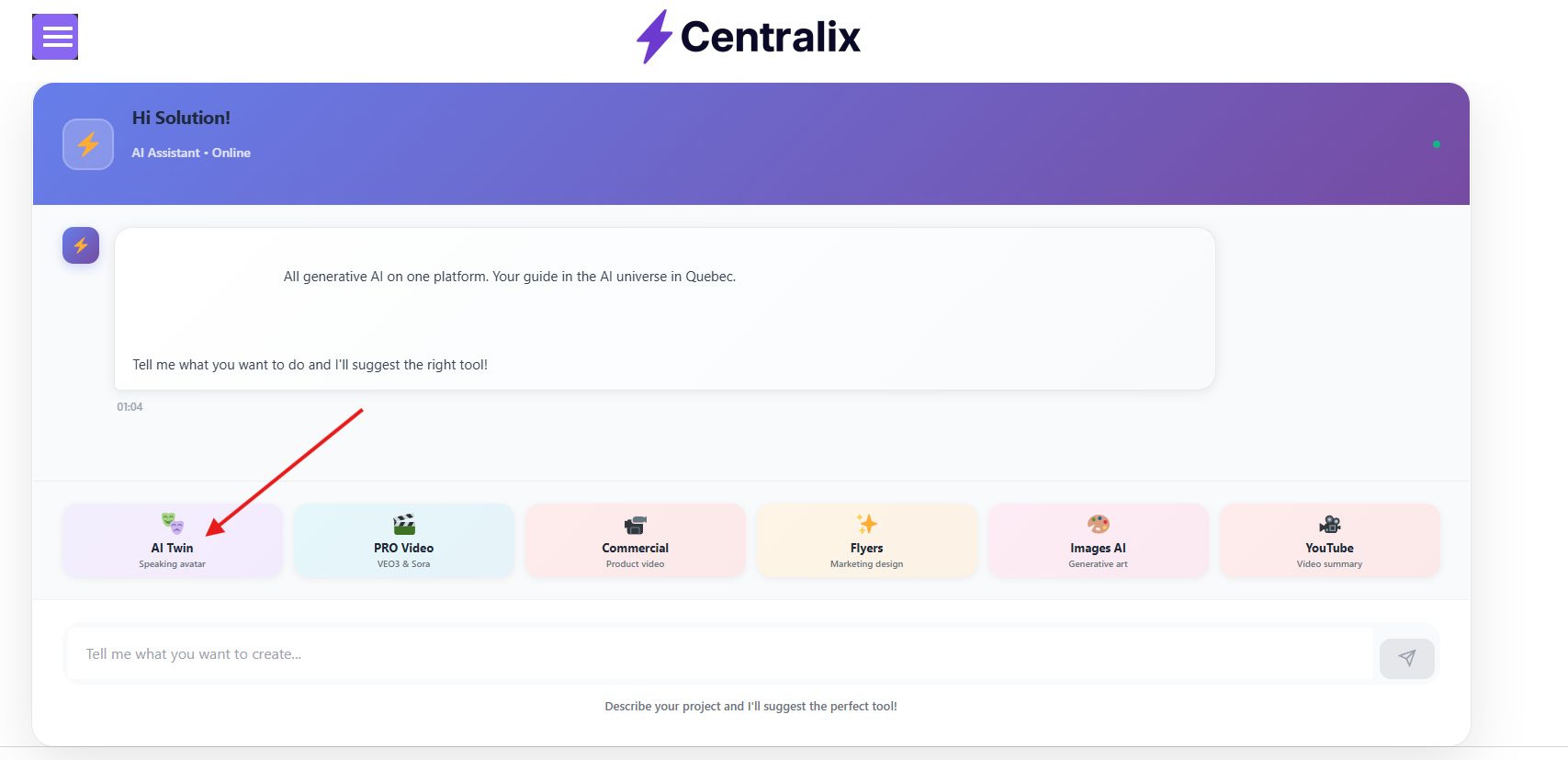
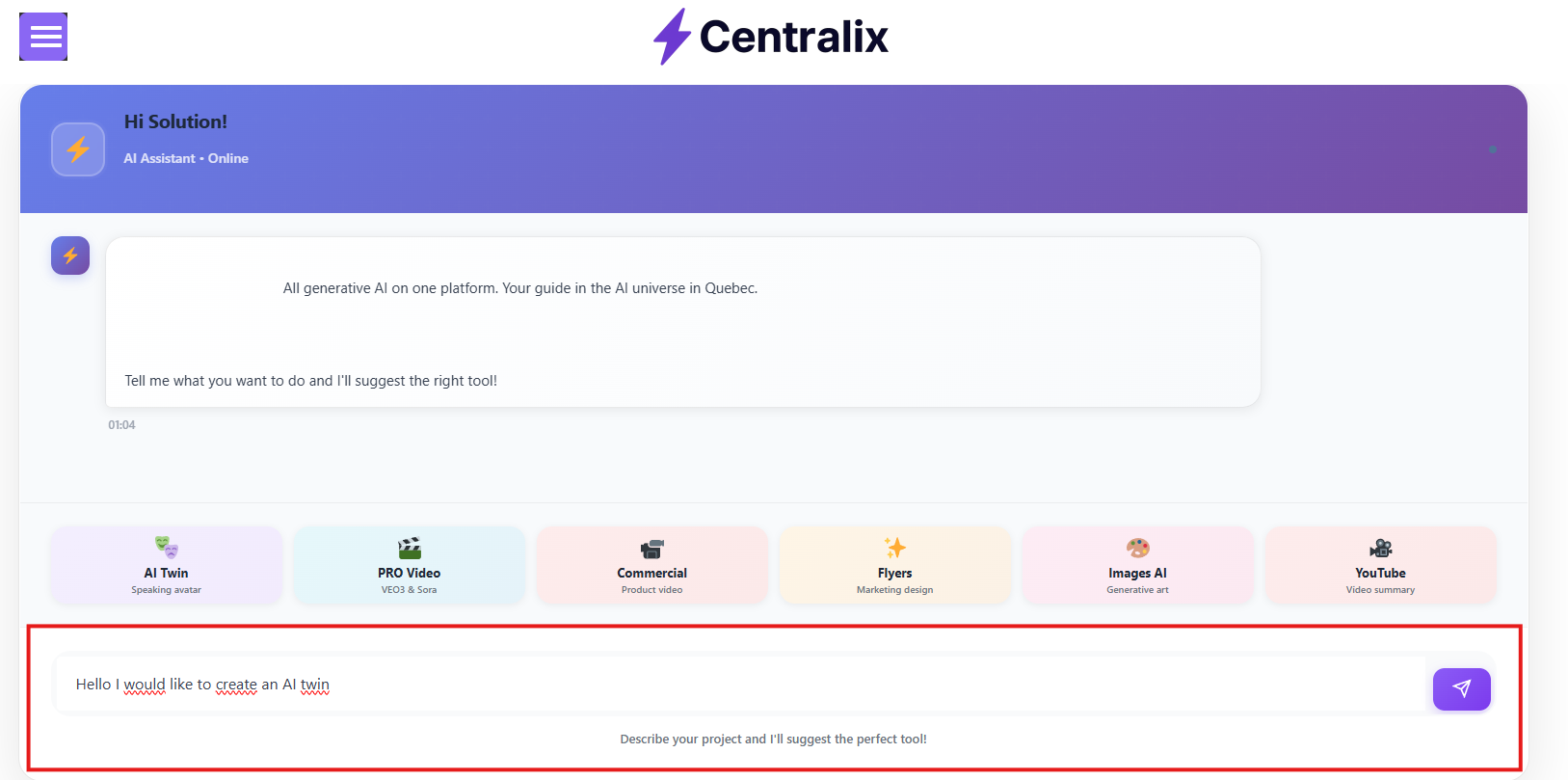
Step 2 — Ask the AI agent for the AI twin feature.
You have two ways to do that. Either by asking directly in the text prompt or by choosing directly the AI feature from the preselected tools.
-
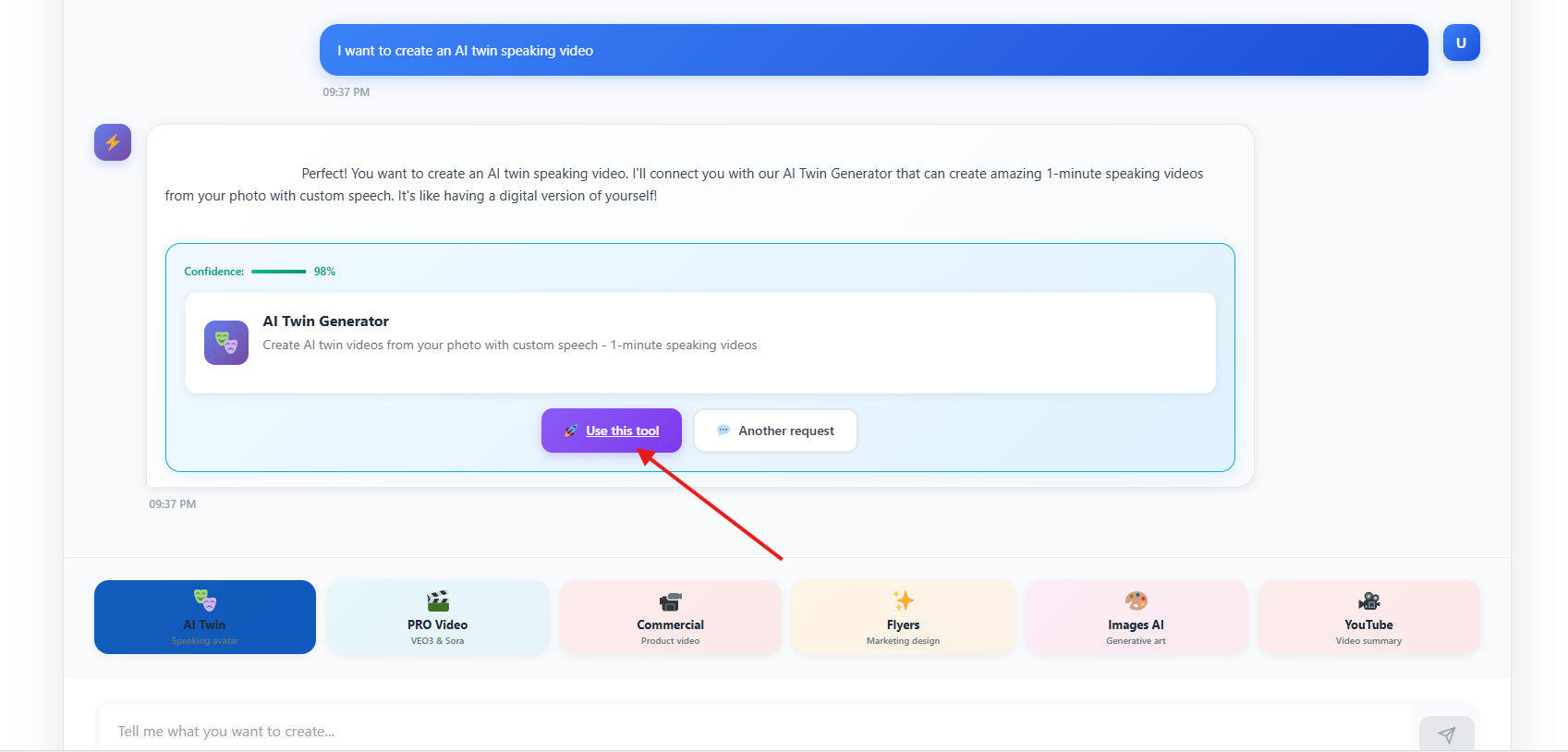
Next you will have the option below suggested by the AI agent
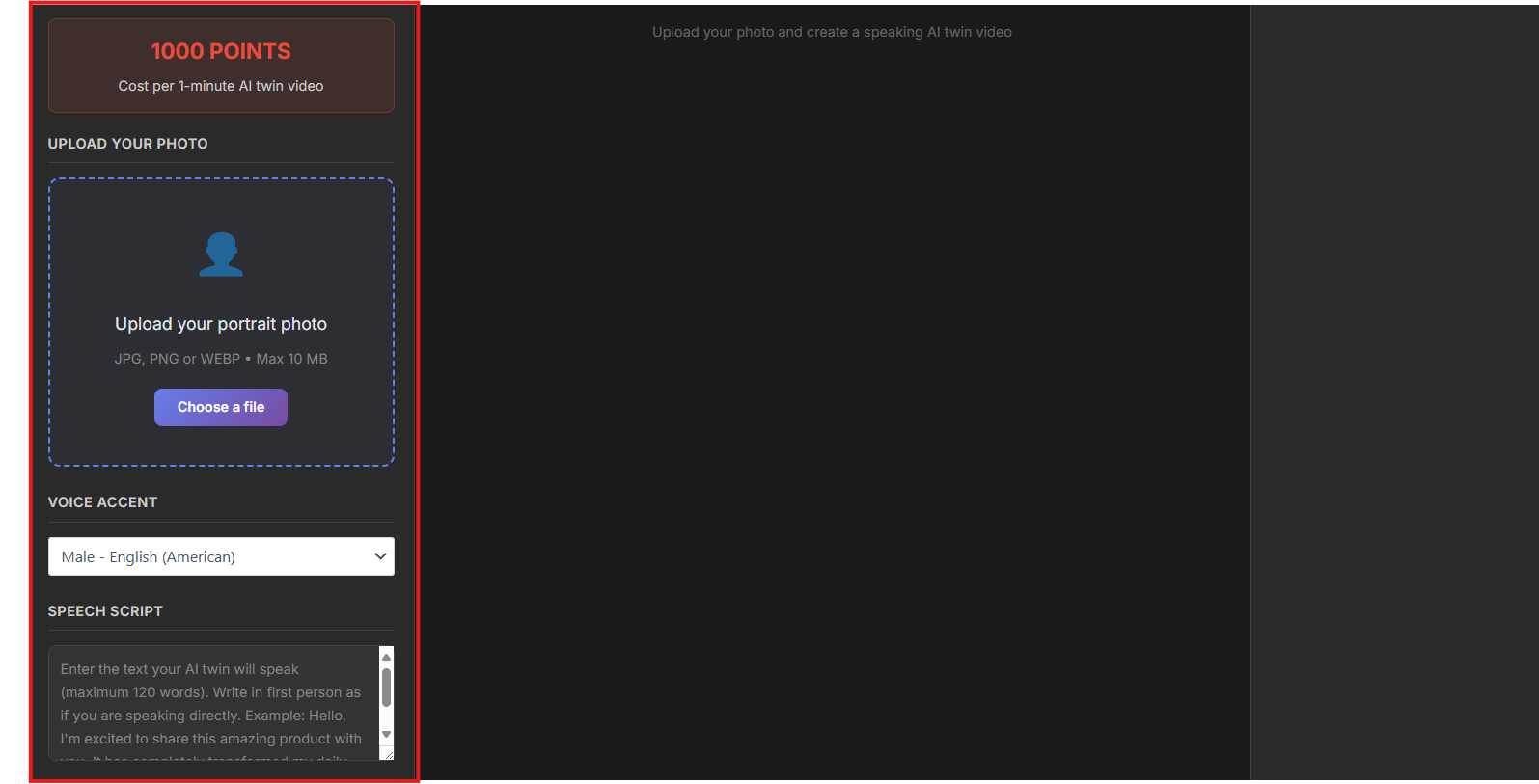
Step 3 — Upload the details concerning your AI twin creation
-
Rather than writing a prompt, Centralix uses context inference
-
It may draw from your uploaded reference, account metadata, or a built-in script library
- Choose the accent of your AI twin as for the date when this post is written, centralix doesn’t support yet custom voices.
-
-
The system generates the spoken content for the 1-minute video
-
It also decides pauses, breathing, emphasis, tone
Step 4 — Export & Share
-
Download in the appropriate format (MP4, MOV)
-
Select orientation (16:9, 9:16, square)
-
Export subtitles or captions file
-
Upload directly to platforms (YouTube, TikTok, LinkedIn)
-
Embed via iframe or upload to your CMS
Voila — you have a 1-minute AI twin video, created without writing a single prompt.
How Centralix Handles Identity, Voice, Lip Sync & Continuity
Under the hood, Centralix (and analogous tools) uses a mix of advanced technologies:
-
Face Encoding & Identity Embedding: The system encodes your facial features into a latent identity vector to preserve likeness across output.
-
Voice Cloning & TTS Fine-Tuning: The model extracts your vocal timbre and style from your reference sample.
-
Lip Sync / Audio-Visual Alignment: Using neural networks (like sync nets), the lip motion is synchronized to the generated speech.
-
Temporal Continuity: When rendering multi-second output, the system maintains consistency in lighting, posture, and motion.
-
Auto Script Inference Engine: A language model (or script bank) infers what your twin “should say” given context, persona, or niche.
-
Iterative Learning: Over multiple sessions, the system may refine your twin’s style, eliminate glitches, and learn your preferences.
These features ensure the final video looks “real” rather than robotic.
Tips to Make Your AI Twin Video More Real & Consistent
To elevate realism and consistency:
-
Use multiple reference angles: Slight head turns, expressions widen the model’s expressiveness
-
Maintain lighting consistency: Use the same lighting in your sample video as your target scenes
-
Voice calibration: Record with a clear, neutral tone to let the system pick up your natural cadence
-
Emotion markers: If allowed, tag emotional sections (happy, serious, excited)
-
Re-use your twin: The more you generate, the better the neural backup
-
Avoid sudden costume/setting changes — the twin works best when continuity is stable
-
Review previews carefully — lip sync or expression glitches may sneak in
-
Batch style locking — once a style is good, lock it so subsequent videos stay consistent
Limitations, Risks & Ethical Considerations
As powerful as AI twins are, they come with caveats:
-
Likeness & Consent: Using someone’s face or voice without permission is unethical or illegal
-
Deepfake concerns: Twins could be misused to produce fraudulent or manipulative video
-
Model bias & errors: Glitches in lip sync, uncanny valley artifacts, mispronunciations
-
Limited spontaneity: The twin might struggle with dynamic actions or unpredictable dialogue
-
Overfitting: If reference data is too narrow, twin may not generalize well
-
Privacy & data security: Ensure encryption and deletion policies
-
Platform dependency: You might lose access if service shuts down
Always use AI twins responsibly, especially when representing yourself or others.
Comparison: Centralix vs Other AI Twin Tools
Here’s how Centralix-style tools compare to popular AI twin / avatar platforms:
| Platform | Approach | Pros | Cons |
|---|---|---|---|
| Centralix (no prompt) | Auto script + zero prompt | Extremely hands-off, fast | Less control over content |
| VEED AI Twin | You record a 2-min script, then type scripts later VEED.IO | Fine control, multiple languages | Requires initial script recording |
| Kapwing AI Twin Generator | Upload video, then edit later scripts Kapwing | Familiar UI, editing control | You still prompt content |
| InVideo AI / AI Twins | Text-to-video, or “AI Twin” module in InVideo Invideo | Plugin to existing video tool | May require prompts or scripts |
| HeyGen | Text or audio input, lifelike avatars HeyGen | Good voice, avatar library | Still requires user text/script |
Centralix’s unique selling point is no prompt writing — ideal for creators who want full automation.
SEO & Growth: How to Use Your AI Twin for Content Marketing
Once you have your twin, it becomes a content engine:
-
Batch produce tutorials, Q&A videos, intros
-
Repurpose: cut 1-minute into 15-second snippets
-
A/B test: vary styles, tone, calls to action
-
Localization: twin speaks multiple languages
-
Embed in website: hero video, landing page greeting
-
Personalization: use twin to deliver dynamic intros per user segment
-
Consistency in branding: same face, style, voice across videos
-
SEO video content: attach transcripts, tags, keywords (AI twin helps scale)
As you build a library, your twin becomes a central pillar of content strategy.
Troubleshooting & Common Issues
-
Lip sync off by 20–30 ms → adjust timing or use alternate script
-
Voice sounds robotic → provide more reference audio or adjust pitch
-
Facial artifacts / jitter → use simpler lighting, reupload reference
-
Background bleeding or blur → choose simpler backgrounds or solid color
-
Twin “stuck” in default pose → reinitiate expression samples
-
Script mismatch → choose alternate script versions
Don’t expect perfection on the first try — iterative refinement is normal.
Future Trends in AI Twins & Video Generation
-
Multi-minute AI clone videos (beyond 1 minute)
-
Real-time, live AI twin interactions (e.g. live chat, Q&A)
-
3D avatars, VR/AR integration
-
Emotional responsivity (AI twin reacts in real time)
-
Cross-platform continuity (same twin across video, audio, VR)
-
Democratization (you’ll see AI twin features in social apps)
-
Open ecosystems for swapping voice, style, and scenes
The direction is clear: AI twin technology will become more immersive, more interactive, and more ubiquitous.
Frequently Asked Questions (FAQ)
Q1. Do I really never have to write a prompt with Centralix?
Yes — the system auto-generates the script based on your reference content, style choice, or internal defaults. You may have optional script variations but no manual prompt writing is required.
Q2. How long does it take to generate the twin & the final video?
Typically, creating the twin (processing reference data) might take minutes. Rendering a 1-minute video may take anywhere from seconds to a few minutes, depending on compute load and complexity.
Q3. Can I change what my AI twin says later?
Yes — for subsequent videos, you can either rely on new auto fills or choose among generated script options. The twin remains persistent, so you don’t reupload for each video.
Q4. Can my twin support multiple languages or accents?
If the backend supports it, yes. Many avatar platforms support multilingual voices; Centralix may allow switching the speech engine. Always verify before generating.
Q5. What if the AI twin mispronounces a word?
You may need to override or select alternative script versions, adjust phonemes if supported, or edit—though that edges into prompt-writing territory.
Q6. What about ownership and rights?
Ensure terms grant you perpetual rights to your likeness and video output. Avoid using others’ voices or images without consent. Retain control of data and request deletion if desired.
Conclusion & Next Steps
Creating a 1-minute, consistent, high-quality AI twin video without ever writing a prompt is no longer a futuristic dream — it’s achievable with the right tool like Centralix (or analogues). The key steps are: upload reference content, select style, let AI infer script and voice, tweak, and render. With smart planning, guidance, and iteration, your AI twin can become a powerful content engine for your brand.
Next steps:
-
Test Centralix’s free or trial tier
-
Upload good reference footage
-
Generate a first twin, then iterate
-
Use it in real content workflows (social, website)
-
Monitor results, refine voices, styles